Client-side throttling is a technique to control how often your application sends requests to APIs, helping you avoid exceeding rate limits and encountering errors like HTTP 429. Unlike server-side throttling, which is enforced by the API provider, client-side throttling is implemented within your app to manage request flow proactively. This is especially important when working with APIs that provide real-time data, such as commodity prices, where uninterrupted access is critical.
Key Takeaways:
- Prevent hitting API rate limits by managing outgoing requests.
- Ensure consistent data flow for real-time applications like trading dashboards.
- Improve user experience by reducing delays and avoiding errors.
Techniques to Implement Throttling:
- Fixed Interval Throttling: Sends requests at consistent intervals (e.g., 1 request per second).
- Exponential Backoff: Gradually increases delay between retries after failures.
- Request Queuing: Prioritizes critical requests over less urgent ones.
For example, using OilpriceAPI, which offers plans with monthly request limits (e.g., 10,000 requests for $15/month), you can use these methods to stay within limits while accessing real-time price data. Tools like Lodash or custom scripts can help enforce throttling, ensuring smooth API performance and avoiding disruptions.
Why You Need Client-Side Throttling
Client-side throttling plays a key role in preventing API rate limit violations and maintaining seamless access to essential commodity data.
Preventing API Rate Limit Violations
By managing outgoing requests, client-side throttling helps you avoid hitting API rate limits and encountering HTTP 429 errors. These errors, which indicate too many requests, are a common issue when APIs are accessed without proper throttling mechanisms in place. For instance, a sudden surge in traffic or a batch operation can quickly consume your monthly quota, leaving your application stranded.
Here’s a quick look at OilpriceAPI's rate limits by plan:
| Plan Name | Monthly API Requests |
|---|---|
| Free Trial | 1,000 |
| Exploration | 10,000 |
| Production Boost | 50,000 |
| Reservoir Mastery | 250,000 |
Using throttling ensures you stay within these limits, avoiding errors and maintaining data reliability.
Maintaining Reliability in Real-Time Applications
Staying within rate limits isn’t just about avoiding errors; it’s also critical for ensuring consistent, real-time data updates. Imagine a trading dashboard that suddenly loses access to up-to-date Brent Crude or WTI price data during a market shift. Without current information, users could be left with outdated or incomplete data, which could lead to costly decisions. Client-side throttling helps regulate the frequency of requests, keeping your application running smoothly and ensuring uninterrupted access to real-time commodity prices.
Better User Experience
A steady, reliable data stream significantly enhances the user experience. Effective throttling minimizes error responses and delays, resulting in faster response times and more consistent data delivery. This is especially important during periods of market volatility when users depend on accurate and timely price updates. By preventing HTTP 429 errors, throttling ensures your application delivers the dependable performance users expect.
Techniques like fixed interval throttling and exponential backoff, which we’ll explore next, make these benefits achievable.
Client-Side Throttling Methods
When working with JSON REST APIs, managing the frequency of requests is crucial. These throttling techniques help you maintain control and adapt to different scenarios.
Fixed Interval Throttling
Fixed interval throttling limits API requests to a consistent rate, such as one request per second. It’s a straightforward method, ideal for regular polling tasks where predictable timing is essential.
For example, in JavaScript, the lodash.throttle function is commonly used to implement this. Here’s how you could use it to monitor commodity prices with OilpriceAPI:
const { throttle } = require('lodash');
const fetchPrice = () => fetch('https://api.oilpriceapi.com/v1/prices/latest').then(r => r.json());
const throttledFetch = throttle(fetchPrice, 1000); // 1 request per second
setInterval(throttledFetch, 500); // Attempts every 500ms, but only 1/sec is sent
This ensures your application stays within the rate limits of OilpriceAPI while maintaining consistent updates. Fixed interval throttling is particularly effective for steady, predictable traffic patterns. However, if error handling becomes an issue, you might need a more dynamic approach like exponential backoff.
Exponential Backoff
Exponential backoff is a retry strategy that increases the delay between requests after each failure. It’s especially useful when dealing with HTTP 429 (Too Many Requests) errors. By spacing out retries, this method reduces the risk of overwhelming the API and increases the chances of success.
Here’s an example of how to implement exponential backoff:
function fetchWithBackoff(url, retries = 5, delay = 500) {
  return fetch(url).catch(err => {
    if (retries > 0) {
      return new Promise(resolve => setTimeout(resolve, delay))
        .then(() => fetchWithBackoff(url, retries - 1, delay * 2));
    }
    throw err;
  });
}
In this example, the initial delay is 500ms, doubling with each retry. This gradual approach gives the API time to recover from heavy traffic, allowing your application to eventually retrieve the data without adding unnecessary pressure. For situations where prioritizing certain requests is critical, request queuing offers another solution.
Request Queuing and Priority Management
Request queuing organizes API calls into a queue, processing them based on priority. This ensures that high-priority requests are handled first, while less urgent ones are delayed. For example, in a commodity data application, you might prioritize real-time Brent Crude price updates over historical data queries.
Here’s a simple implementation of a priority queue:
class PriorityQueue {
  constructor() {
    this.high = [];
    this.normal = [];
    this.low = [];
  }

  add(request, priority = 'normal') {
    this[priority].push(request);
  }

  process() {
    if (this.high.length) return this.high.shift();
    if (this.normal.length) return this.normal.shift();
    if (this.low.length) return this.low.shift();
    return null;
  }
}
This approach ensures that critical updates, like real-time commodity prices, are processed first, even during periods of high traffic. While it may require additional memory and computational resources, it provides precise control over request handling.
| Method | Best Use Case | Key Benefit | Complexity |
|---|---|---|---|
| Fixed Interval | Regular price polling | Consistent and predictable | Low |
| Exponential Backoff | Handling 429 errors | Gradual recovery | Medium |
| Request Queuing | Mixed priority requests | Ensures critical data first | High |
Each of these methods serves a specific purpose. Fixed interval throttling is great for steady updates, exponential backoff helps manage unexpected traffic spikes, and request queuing ensures that your most important requests are handled without delay.
Throttling OilpriceAPI Requests
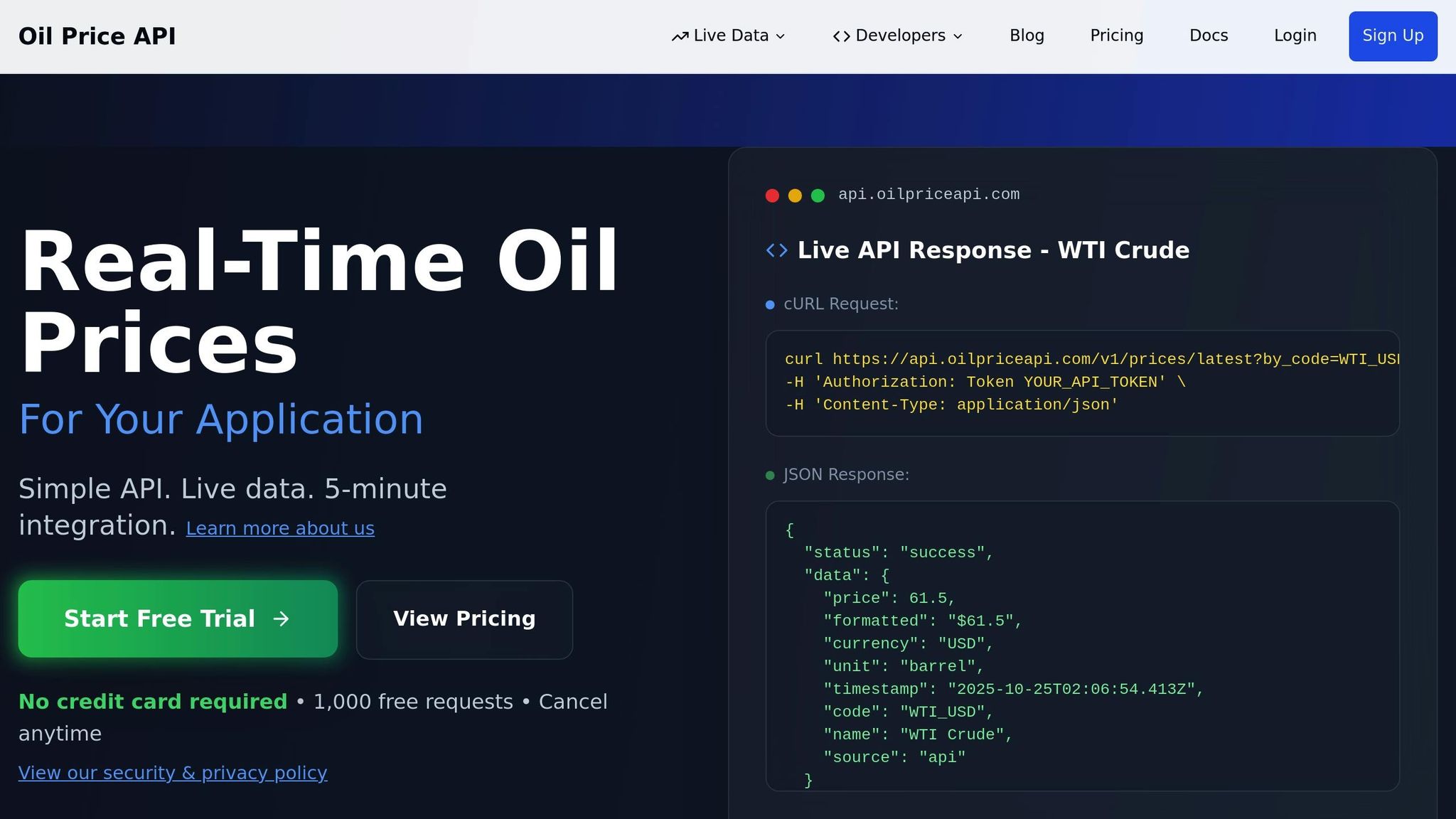
When using OilpriceAPI, managing monthly request limits is crucial to ensure consistent access to real-time pricing data.
OilpriceAPI Rate Limits by Plan
OilpriceAPI sets rate limits based on monthly request allowances rather than per-second restrictions. Here's a breakdown of the plans:
- Exploration plan: 10,000 requests/month for $15.00
- Production Boost plan: 50,000 requests/month for $45.00
- Reservoir Mastery plan: 250,000 requests/month for $129.00
To avoid exhausting your monthly quota, it's essential to monitor daily and hourly usage.
| Plan Name | Monthly Price | API Requests Per Month | Daily Average | Hourly Average |
|---|---|---|---|---|
| Exploration | $15.00 | 10,000 | ~333 | ~14 |
| Production Boost | $45.00 | 50,000 | ~1,667 | ~69 |
| Reservoir Mastery | $129.00 | 250,000 | ~8,333 | ~347 |
For example, on the Exploration plan, spacing requests at least 4 minutes apart helps you stay within your hourly average.
Code Examples for OilpriceAPI Throttling
To manage API requests effectively, you can use a throttling system that tracks usage and enforces limits. The following code demonstrates how to do this:
class OilpriceAPIThrottler {
  constructor(apiToken, monthlyLimit) {
    this.apiToken = apiToken;
    this.monthlyLimit = monthlyLimit;
    this.requestCount = 0;
    this.lastResetDate = new Date().getMonth();
  }

  async fetchBrentCrude() {
    if (this.shouldResetCounter()) {
      this.requestCount = 0;
      this.lastResetDate = new Date().getMonth();
    }

    if (this.requestCount >= this.monthlyLimit) {
      throw new Error('Monthly API limit reached');
    }

    const response = await fetch('https://api.oilpriceapi.com/v1/prices/latest?by_code=BRENT_USD', {
      headers: {
        'Authorization': `Token ${this.apiToken}`,
        'Content-Type': 'application/json'
      }
    });

    this.requestCount++;
    return response.json();
  }

  shouldResetCounter() {
    return new Date().getMonth() !== this.lastResetDate;
  }

  getRemainingRequests() {
    return this.monthlyLimit - this.requestCount;
  }
}

// Usage for Exploration plan
const throttler = new OilpriceAPIThrottler('YOUR_API_TOKEN', 10000);
For scenarios where you need data for multiple commodities, batching requests can improve efficiency:
async function fetchMultipleCommodities(throttler) {
  const commodities = ['BRENT_USD', 'WTI_USD', 'NATURAL_GAS_USD', 'GOLD_USD'];
  const results = {};

  for (const commodity of commodities) {
    try {
      const response = await fetch(`https://api.oilpriceapi.com/v1/prices/latest?by_code=${commodity}`, {
        headers: {
          'Authorization': `Token ${throttler.apiToken}`,
          'Content-Type': 'application/json'
        }
      });

      results[commodity] = await response.json();
      throttler.requestCount++;

      // Add delay between requests to avoid overwhelming the API
      await new Promise(resolve => setTimeout(resolve, 1000));
    } catch (error) {
      console.error(`Failed to fetch ${commodity}:`, error);
    }
  }

  return results;
}
Both examples help you maintain steady access to OilpriceAPI data, even during periods of high demand.
Handling 429 Rate Limit Errors
Even with throttling in place, rate limit errors (HTTP 429) can occur. Implementing error handling ensures your application stays functional:
async function fetchWithRetry(url, headers, maxRetries = 3) {
  let retryCount = 0;
  let delay = 1000; // Start with 1 second delay

  while (retryCount < maxRetries) {
    try {
      const response = await fetch(url, { headers });

      if (response.status === 429) {
        console.warn(`Rate limit hit. Retrying in ${delay}ms...`);
        await new Promise(resolve => setTimeout(resolve, delay));
        delay *= 2; // Double the delay for next retry
        retryCount++;
        continue;
      }

      if (!response.ok) {
        throw new Error(`HTTP ${response.status}: ${response.statusText}`);
      }

      return await response.json();
    } catch (error) {
      if (retryCount === maxRetries - 1) {
        throw error;
      }
      retryCount++;
      await new Promise(resolve => setTimeout(resolve, delay));
      delay *= 2;
    }
  }
}
This approach uses exponential backoff, giving the API time to recover while ensuring eventual success. For production use, you might also consider notifying users when rate limits are near, helping manage expectations and reducing frustration over delayed updates.
sbb-itb-a92d0a3
Throttling Best Practices for Commodity Data
When it comes to managing throttling for commodity APIs, success lies in careful planning and ongoing monitoring. This ensures consistent access to vital market data while staying within the limits of your API plan.
Track Your API Usage
Keeping an eye on your API usage is key to avoiding service disruptions. Tools like OilpriceAPI's detailed API status and Complete Market Dashboard provide real-time insights into your usage compared to plan limits. These features help you spot peak usage times and potential bottlenecks with ease.
Automated alerts are another lifesaver. For instance, if you’re using the Exploration plan, which allows 10,000 monthly requests, setting alerts at 75% (7,500 requests) and 90% (9,000 requests) of your quota can give you enough time to adjust your usage or upgrade your plan before hitting the limit.
For deeper monitoring, tools like Datadog or Prometheus can track crucial metrics such as successful requests, the frequency of 429 errors, average request latency, and the balance between high-priority and low-priority requests. These insights allow you to predict and address potential quota issues before they escalate.
Prioritize Critical Data Requests
In commodity applications, not all API requests are equally important. Real-time price updates for commodities like Brent Crude, WTI, Natural Gas, and Gold should always take priority over less urgent data, such as weekly market indicators.
A priority queue system can help you manage this efficiently. With such a system, high-priority requests - like those for real-time market prices - are processed immediately, while lower-priority requests, such as updates on US Rig Counts, can be delayed or batched when capacity is available. This approach aligns with the update frequency of different data types, such as real-time prices refreshing every five minutes versus weekly updates for some indicators, ensuring your throttling logic supports optimal API performance.
Test Throttling Under High Traffic
Before rolling out your throttling strategy, it’s crucial to test it under high-traffic conditions. Automated test scripts can simulate heavy, simultaneous request loads to ensure your system performs as expected. These tests should confirm that critical requests are prioritized, rate limits are adhered to, and the system recovers smoothly from 429 errors.
Focus on scenarios that mimic real-world usage, such as spikes in traffic during major market events. Monitor performance indicators like the number of successful requests and recovery time after hitting rate limits. This helps refine your throttling settings and establish realistic performance benchmarks.
As your application scales or if OilpriceAPI adjusts its rate-limiting policies, regular testing becomes even more important. Scheduling quarterly load tests ensures your throttling strategy remains effective as your user base grows and usage patterns shift. By committing to consistent testing, you can maintain a reliable system that handles both high traffic and critical requests without a hitch.
Conclusion
Managing client-side throttling is a must for any application that relies on JSON REST APIs. The techniques we’ve discussed - like fixed interval throttling, exponential backoff, and request queuing - equip you to create dependable systems that honor API limits while maintaining smooth performance.
Throttling helps you avoid hitting rate limits and encountering those dreaded 429 errors by controlling the flow of requests from the outset. This steady regulation ensures you can make the most of your API usage without crossing the limits.
Think about how these throttling techniques apply to real-world scenarios. For example, when working with real-time commodity data, maintaining reliability and staying within your subscription plan’s limits becomes crucial. Whether you’re on a plan with 10,000 monthly requests or scaling up to 250,000, throttling ensures your users consistently receive the data they need - especially when dealing with critical information like commodity prices.
It’s also important to treat throttling as an ongoing process. Regular monitoring, load testing, and fine-tuning your strategies will keep your throttling approach effective as your application grows. By implementing these practices, you’ll not only manage API limits efficiently but also enhance the user experience by preventing unexpected failures and ensuring a steady flow of data. This way, your application stays reliable, responsive, and ready for whatever comes next.
FAQs
What’s the difference between client-side throttling and server-side throttling when managing API rate limits?
When it comes to managing API rate limits, client-side throttling and server-side throttling take different approaches.
Client-side throttling happens within the client application itself. Here, the client regulates how often it sends requests to the API, helping to avoid hitting the server’s rate limit. This not only prevents errors from exceeding limits but also keeps the application running smoothly.
On the other hand, server-side throttling is controlled by the API server. The server sets a cap on how many requests it will accept from a client within a given time frame. This ensures the server isn’t overwhelmed and that all clients get fair access to resources.
Take, for instance, a JSON REST API like OilpriceAPI. By applying client-side throttling, you can stay within the API's rate limits while retrieving real-time and historical data on commodities such as Brent Crude, WTI, Natural Gas, and Gold. This approach ensures seamless access without overstepping boundaries.
What are the best practices for implementing client-side throttling in JSON REST APIs to manage high traffic efficiently?
Client-side throttling plays a key role in keeping applications running smoothly and avoiding overloads, especially when dealing with heavy traffic on JSON REST APIs. To implement it effectively, consider these practical steps:
- Define request limits: Set a clear cap on the number of API calls your application can make within a given time frame (e.g., 1,000 requests per minute) and enforce this rule in your code.
- Incorporate retry mechanisms: If a request hits the limit, hold it in a queue and retry after a brief pause to prevent overwhelming the API server.
- Apply exponential backoff: Increase the delay between retries incrementally, which helps reduce repeated failures during high-traffic periods.
- Track and log activity: Monitor API usage and throttling events to spot trends and fine-tune your application's behavior for better efficiency.
By sticking to these strategies, you can keep your application responsive and aligned with API usage policies, such as those of OilpriceAPI. This API delivers both real-time and historical data for key commodities like Brent Crude, WTI, Natural Gas, and Gold.
Why is it important to prioritize API requests in real-time applications, and how does request queuing help?
In real-time applications, managing API requests effectively is key to keeping systems functional and delivering a smooth user experience. By prioritizing critical data, you can ensure that essential updates are processed without delays. Take live updates, like real-time oil price data, for instance - prioritizing these ensures timely access to information, which can be crucial for decision-making.
Request queuing plays a vital role in this process. It organizes incoming requests by their level of importance, allowing developers to handle urgent tasks first while deferring less critical ones. This method not only boosts performance but also guarantees that essential data is readily available when it matters most.